Shared shopping lists and bill splitting for flatmates
One shopping list for the whole household, expenses split equally, by percentage, by shares or exact amounts, and a running balance of who owes whom. Free on web, iPhone and Android.
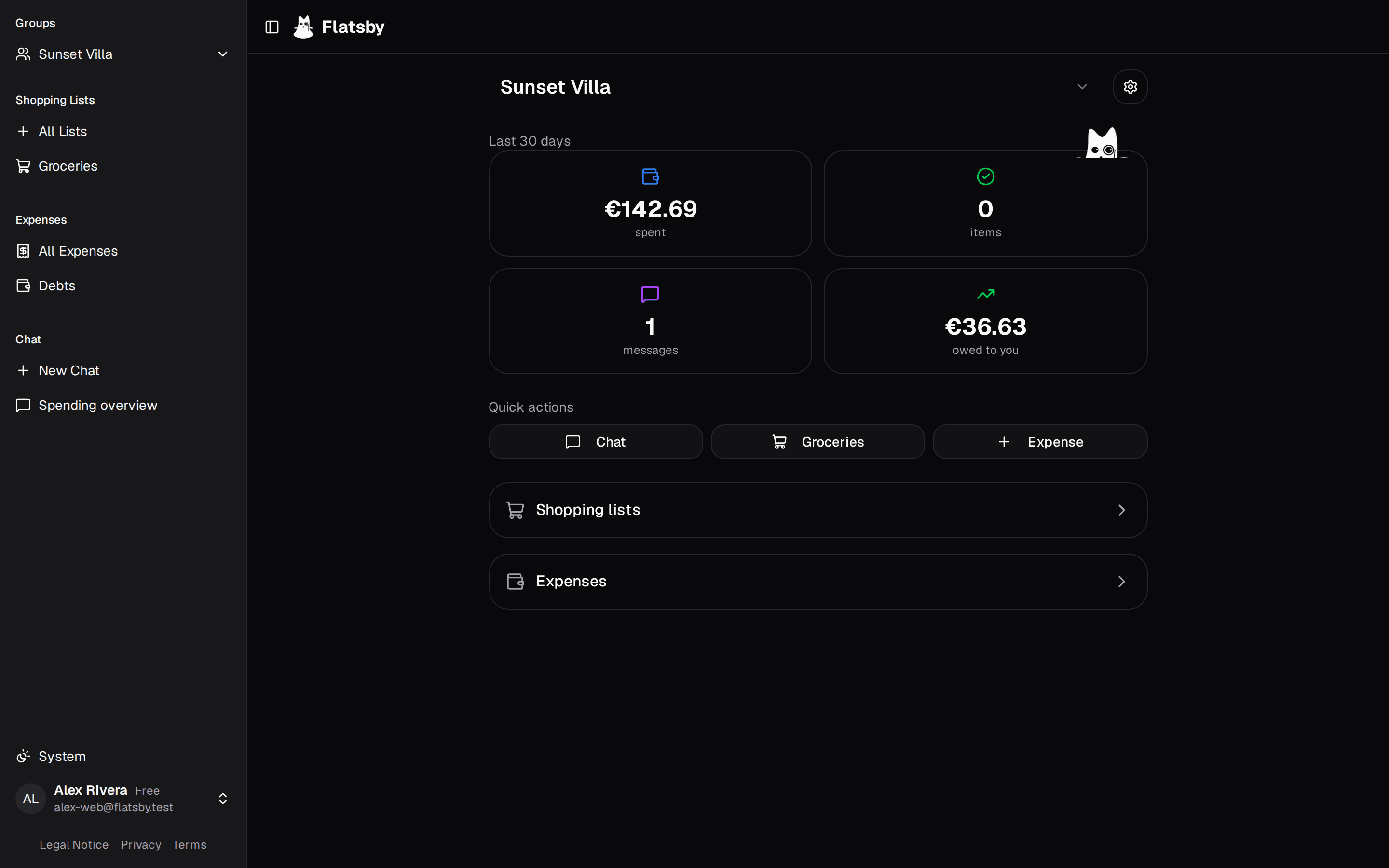
Everything you need to run your household
The lists, expenses and chat below are examples.
Shared shopping lists
Everyone in the household works from the same lists on the web and on their phone. Whoever is in the shop ticks items off, and everyone else sees it the next time they open the list.
Expense splitting
Log what you paid and split it equally, by percentage, by shares or by exact amounts. Flatsby keeps a running balance per person and simplifies debts, so fewer payments settle everyone up.
AI assistant
On the web, ask about your household in plain language. It reads your lists and expenses, answers with charts and tables, and can add items or expenses for you.
Add milk and bread to the shopping list
Done! I've added those items to your shopping list.
Household groups
A group is your household. Each flatmate signs in once, then a group admin adds them by the email on their account. Every list and expense stays inside the group.
Get started in 3 simple steps
Switching from Splitwise
Flatsby imports a Splitwise CSV export, so your history comes with you. In Splitwise, export the group as CSV. In Flatsby, open Group settings, Import expenses, pick the currency, match the Splitwise names to your flatmates and upload the file. The preview lists any rows it skips, such as other currencies or expenses with several payers, before anything is imported.
Who makes Flatsby
Flatsby is built by Raphael Mitas, an independent developer in Darmstadt, Germany. The code is open source on GitHub, and releases ship to the web, the App Store and Google Play from the same repository.
Flatsby at a glance
- What it is
- A household app for people who live together: shared shopping lists, shared expenses and settling up.
- Who it is for
- Flatmates or roommates, couples and families who share a home.
- Platforms
- Web at flatsby.com, iPhone and Android. Same account and data everywhere.
- Price
- Free. AI features use monthly credits: 5,000 free, more on Starter ($4.99 a month) or Pro ($9.99 a month on the web, $7.99 in the US App Store).
- Sign in
- Google or Apple account.
- Splitting
- Equal, percentage, shares or exact amounts. EUR, USD and GBP.
- Switching
- Imports a Splitwise CSV export.
- Limits
- No member limit. No recurring expenses yet.
- Your data
- Export everything or delete your account from settings.
- Source code
- Open source, MIT license. No public API for other apps.
Questions
Is Flatsby free?
Yes. Shopping lists, expenses, settlements and groups are free, with no member limit. The AI assistant and automatic categories use credits: 5,000 a month for free, 40,000 on Starter ($4.99 a month) and 100,000 on Pro ($9.99 a month on the web). On iPhone, Pro is $7.99 a month in the US App Store.
Does Flatsby work on Android?
Yes. Flatsby is in the Google Play Store, the App Store and on the web at flatsby.com. It is the same account and the same data on every device.
Can I move my expenses over from Splitwise?
Yes. Export your group from Splitwise as CSV, then upload it under Group settings, Import expenses. You pick the currency and match Splitwise names to your flatmates. Each expense keeps the exact amount every person owed, so percentage splits arrive as amounts. Rows in other currencies or with several payers are skipped, and the preview lists them first.
How does Flatsby split an expense?
Equally, by percentage, by shares (for example 2 parts to 1), or by exact amounts per person. Expenses can be in EUR, USD or GBP, and Flatsby keeps a running balance per person for each currency.
Who can see my household's data?
Inside Flatsby, only members of your group. The hosting, analytics and AI providers listed in the privacy policy process it to run the app. Two features send data through the Vercel AI Gateway. The AI assistant asks for consent first, uses OpenAI or Google models, and its data is not used to train them. Automatic categories send the names of shopping items and expenses to a classification model. You can export all of your data or delete your account from your settings.
Ready to simplify your household?
Free on web, iPhone and Android. Sign in with Google or Apple.
Get Started Free